






Price: ₹2,999 - ₹687.00
(as of Mar 17, 2026 17:17:51 UTC – Details)
Product Description


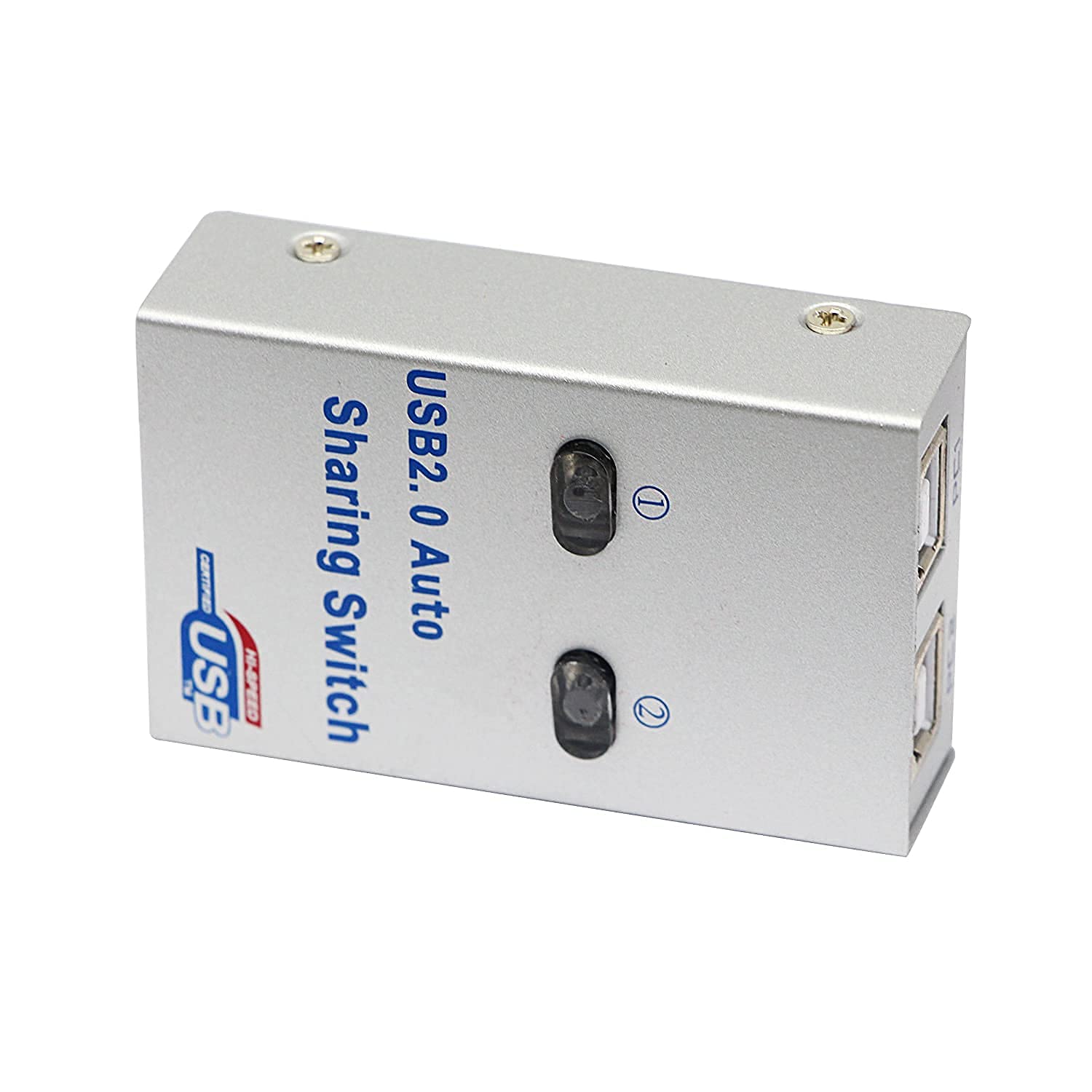
USB 2.0 2 in 1 Out Print Sharing Switcher Adapter USB 2.0 Sharing Switch2 Ports USB 2.0 Auto Sharing Switch High Speed.SWT-0081:
Product introduction:1. USB sharing Hub featured with metal case, Mini design.2. It for 1 to 2 auto sharing printing.3. By using this devise, 1 USB device can be shared with 1 to 2 computers can share 1 printer, manually or automatically.Appliance:1. Support up to 2 pcs input, and 1 USB device output.2. Device with USB port, like printer, scanner, curve plotter, multifunction printer, Bluetooth equipment, up to 128 kinds Of device, can be connected to this USB sharing Hub and easily switch, so 2 computers can sharing a USB device, by this we can cut down office equipment spending and save lots of space.:

Setup guide:A. Copy the file, called USBShare.exe to your installation folder, then double kick it to run. Or just kick the USB Share Setup to begin installation. After that a shortcut icon called USB Share will appear on your PC, kick it to reu, a globe icon will be able also added to lower right corner of PC screen.B. Connecting all devices properly, and make sure all driver (USB sharing Hub and printers) are installed.C. Now you can start switching by left kick the icon or use hot keys(Ctrl+F11), or Pressing the switch button on device.Attention:Please use low resistance USB cable before automatic switch, you should install software then use keyboard and mouse to do it. The device will not automatically switch printing tasks from one computer to another, you should manually use keyboard and mouse.Keyboard control can use combing keys or mouse control after installing software.:


Panel Button Switching :- Press 1 key or 2 key to Complete switching between two Computers on 1 Sharing Printer.1 to 2 auto sharing printing. By using this devise, 1 USB device can be shared with 1 to 2 computers can share 1 printer, manually or automatically.:

Keyboard Hotkey Switching :- Switching Methods: A. Button on the device. B. Keyboard hot key( Ctrl+F11). C. Mouse kick the globe icon.Setup guide: You can refer to the user manual. Please use low resistance USB cable before automatic switch, you should install software then use keyboard and mouse to do it. The device will not automatically switch printing tasks from one computer to another, you should manually use keyboard and mouse. Keyboard control can use combing keys or mouse control after installing software.:

Mouse Software Switching :- Switching by clicking the right mouse button on the small green sphere in the lower right corner of the computer.The icon in the lower right corner of the computer can printed directly if it is green.The icon in the lower right corner of the computer, if it’s orange, means you need to switch to print it.The icon in the lower right corner of the computer, if it is red, means that you need to switch to the yes option before you can print it.:
Features :-

Small Compact size :- tem Type: USB 2.0 Mini Auto Printer Sharing SwitchMaterial: Metal shell design, anti-static, anti-interference ability.Size: 70x50x20mm/2.7×1.9×0.7inColor: As shownPort: USB2.0 (backward compatible with USB 1.1):

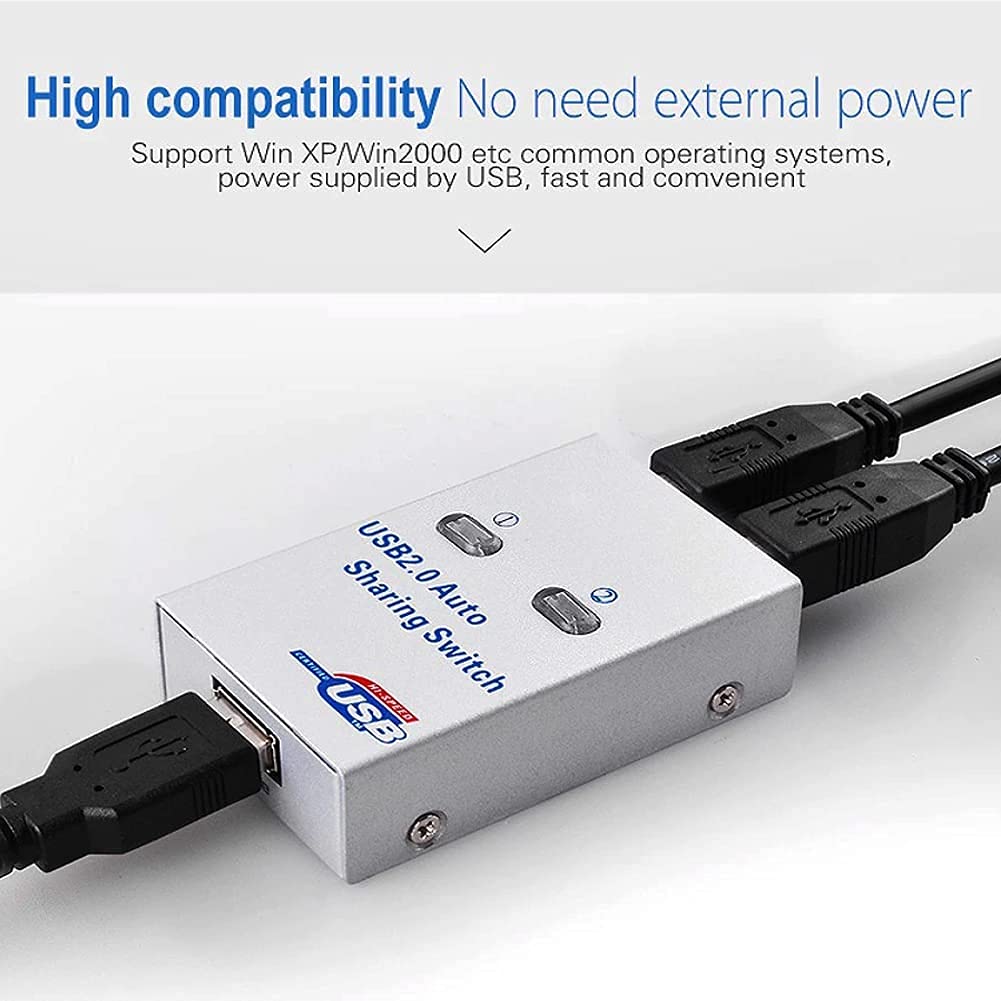
No need for external power supply :- You can switch through the software, no need to bend down to insert and plug cable again. High compatibility, USB interface, no need external power.Support two computers sharing 1 USB port device.Working Temperature: 0-40degree Celsius:

Compatible With multiple system :- It can support for Windows 98/Me/2000/XP, for MAC and for MAC 10. Suitable for scanner/USB disk/card reader/ink-jet printer/copier, etc.Install drive CD (2UA installation file), both PC need to install.Common systems, power supplied by USB, fast and convenient.:

Multi Functional Device :- USB 2.0 port, fast transmission speed, support transmission distance up to 10 meters.Device with USB port, like printer, scanner, curve plotter, multifunction printer, Bluetooth equipment, up to 128 kinds Of device.:

Suitable for Various devices :- Support all high-end USB 2.0 ports, strong compatibility.Suitable for scanner/USB disk/card reader /ink-jet printer/copier etc.Can be connected to this USB sharing Hub and easily switch, so 2 computers can sharing a USB device, by this we can cut down office equipment spending and save lots of space.:

Package included :- In the Box you Got :-1 x 2 Ports Printer Sharing Switch Hub.1 x Software CD.1 x User Manual:
USB 2.0 Sharing Switch, USB sharing Hub featured with metal case. NOTE: Automatic file can only be used in the windows system can not be installed in the iOS system, in the iOS operating system, it can only be a manual switch box.
– It for 1 to 2 auto sharing printing. By using this devise, 1 USB device can be shared with 1 to 2 computers can share 1 printer, manually or automatically.
– 1. Support up to 2 pcs input, and 1 USB device output. 2. Device with USB port, like printer, scanner, curve plotter, multifunction printer, Bluetooth equipment, up to 128 kinds Of device, can be connected to this USB sharing Hub and easily switch, so 2 computers can sharing a USB device, by this we can cut down office equipment spending and save lots of space.
– Switching Methods: A. Button on the device. B. Keyboard hot key( Ctrl+F11). C. Mouse kick the globe icon. Setup guide:You can refer to the user manual.Please use low resistance USB cable before automatic switch, you should install software then use keyboard and mouse to do it. The device will not automatically switch printing tasks from one computer to another, you should manually use keyboard and mouse.
Keyboard control can use combing keys or mouse control after installing software. — Engineering Metal shell design, anti-static, anti-interference ability.


Reviews
There are no reviews yet